


TextMe Up Calling & Texts
4.210.91K Reviews
App Specs
- Version
- 3.55.0
- Updated On
- License
- Free
- Downloads
- 10,000,000+
- Developer
- TextMe, Inc.
- Categories
- Communication
- Platform
- Android
Screenshots
 Analysis by AppCompare
I tend to judge a calling app by a practical question: can it give me a useful second number without making everyday communication feel complicated? That is the idea that drew me to TextMe Up Calling & Texts. It is a free communication app from TextMe, Inc., and its multiple-number setup is more interesting than simply having another place to send messages. Used thoughtfully, a separate number can help keep different parts of life apart while still letting me carry one phone.
Why a second number can matter
A second number is useful when I want to share contact details without handing out the number tied to my personal life. For example, I might use one number for a short-term project, a community group, or a purchase conversation, then keep my usual number for close friends and family. That separation can make incoming calls and texts easier to recognize and gives me a little more control over which number I share in different situations.
The important distinction is that a second number is not the same thing as a second phone or a complete privacy shield. It gives me another contact point, but I still need to use good judgment about what I share and who can reach me. I would treat it as a practical boundary for communication, not as a guarantee of anonymity or a way to avoid unwanted contact altogether.
How the multiple-number idea works in practice
TextMe Up brings calling and texting together in one app, with the option to use multiple numbers from one account. That is convenient if I do not want to carry a separate handset or constantly swap SIM cards just to keep a work conversation distinct from personal messages. The app is designed around choosing a number for a particular purpose and then handling communication from the same device.
Before relying on a new number for something important, I would first decide what role it is meant to serve and tell the relevant people which number to use. That small step helps prevent replies from landing in the wrong conversation. It is also worth checking the selected number and contact details before sending the first message; once a conversation is underway, mixing up which number I have shared can create avoidable confusion.
For a realistic example, imagine I am arranging a weekend sale of furniture. I could give prospective buyers a separate number rather than my usual one, keep the exchange in the app, and avoid putting my personal contact details into a one-off conversation. If the sale turns into a string of messages, that extra boundary is useful. If it is only one brief exchange with someone I already know, using my normal messaging app may be simpler.
Where it fits among calling and messaging options
Compared with relying only on a mobile carrier number, TextMe Up can be appealing when I want an additional number without another physical phone. Compared with a standard messaging app tied to my usual contact details, its main distinction is that extra-number approach. The trade-off is that app-based calling and texting depend on an internet connection, whereas carrier calls and texts may be the more dependable choice when data access is poor.
Worth Reading Before You Choose

EA SPORTS FC Mobile 26 Is a Bigger Football Game, but It Takes Time

Flipboard Shows What News Apps Must Do Beyond the Feed

Switching to Android Auto Means Rethinking Your Driving Routine

Google Calendar Makes a Crowded Week Easier to Manage

Ludo King Makes the Most of the Minutes Between Plans

Baby Panda World Brings Quick Play to Modern Phones, but Its Game Library Feels Busy
I would also think about what the people I contact already use. If my friends and family are comfortable communicating through their usual messaging service, moving every conversation into another app may add friction rather than remove it. TextMe Up makes more sense when the separate number itself solves a problem, such as keeping a temporary project or a particular group of contacts apart. It is less compelling if I only want another copy of the same conversations I already manage elsewhere.
Practical trade-offs before making it your main number
Because this is an internet-based service, I would not make it my only route for urgent communication unless I knew the connection was reliable in the places I use it. A weak or unavailable connection can interrupt the experience, so a regular carrier number may be a better fallback for time-sensitive calls. The app’s usefulness also depends on whether the people I need to reach can be contacted successfully from the number I choose.
There is a cost consideration too. The app is free to start, but it includes optional in-app purchases priced from $0.99 to $79.99 per item. I would check what a purchase covers before spending, especially if I mainly want a separate number for occasional conversations. For international calling, the original appeal of earning credits may suit someone willing to spend time on that route, while a paid option may be more convenient; either way, I would check the destination and the terms shown in the app before counting on a call.
It is also sensible to plan for what happens when a temporary number is no longer needed. I would tell active contacts where to reach me next and avoid assuming that an old conversation will remain a dependable channel forever. That is a general habit worth keeping with any secondary contact method: use it for the purpose it serves, and make a clear handoff when that purpose ends.
If I were choosing an app for sensitive conversations, I would compare its privacy and security details with my actual needs rather than assume that a second number alone makes a conversation private. The app offers a way to lock the app or specific conversations with a password or fingerprint, which can help protect access on the device. That is useful in a different way from hiding a number: one helps limit casual access to the phone, while the other separates contact details.
The Basics
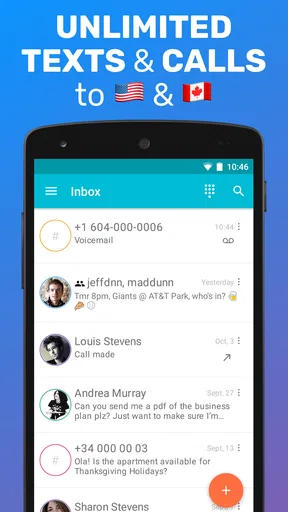
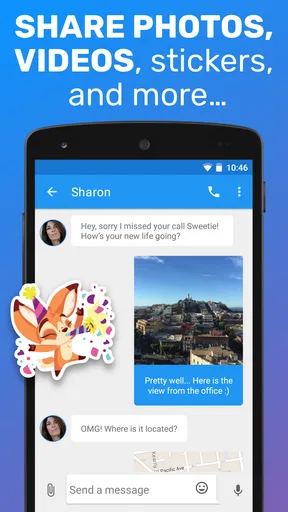
First things first, let’s talk about what TextMe Up Calling & Texts actually offers. This app allows you to call, text, and even send pictures and videos without spending a dime. It’s available on both Android and iOS, which is always a plus in my book. I installed it on my phone and was immediately drawn in by its clean, intuitive interface. Setting up was a breeze; I just needed to create an account, and I was good to go.
TextMe Up has an average rating of 4.2 from around 90,000 ratings, and it has passed 10 million installs. That level of adoption makes it a familiar option in the free-calling space, though I would still judge it by whether its number setup matches my own routine. It is rated for Everyone, so it is presented for a broad audience; as with any communication service, I would still use sensible care when sharing contact details.
Features Galore
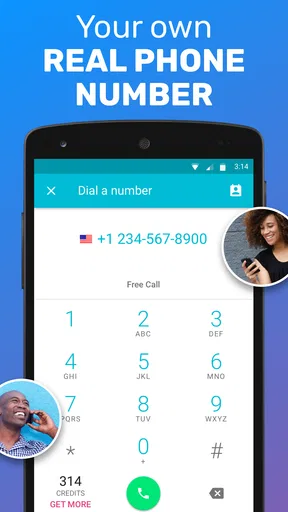
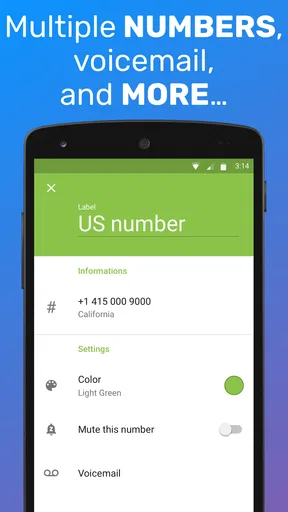
One of the standout features of TextMe Up is the ability to have multiple numbers. Yes, you read that right. You can have different numbers for different purposes, all from one device. This is perfect if you want to separate your work and personal life without juggling multiple phones. The app gives you a variety of area codes to choose from, so you can pick something local or go international.
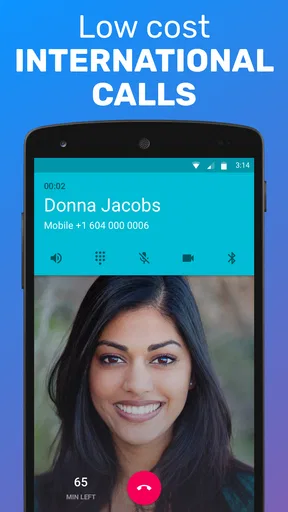
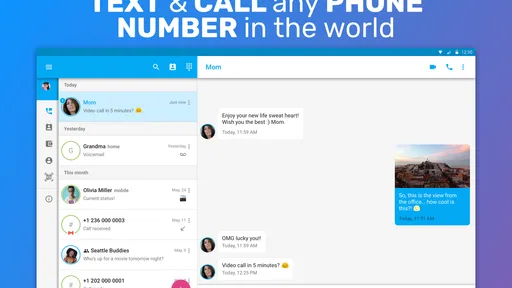
Another cool feature is the free calling and texting within the US and Canada. I tried it out with a few friends and family members, and the call quality was surprisingly good. The texts went through quickly, and I didn’t encounter any delays. You can also earn credits to call internationally, which is a nice touch if you have loved ones overseas.
User Experience
Now, onto the user experience. As someone who values simplicity, I appreciated how easy it was to navigate the app. All the main functions are laid out clearly, and you don't need to dig through menus to find what you need. The app also doesn’t bombard you with ads, which is a refreshing change from some other free services out there.
One thing I found particularly useful was the option to customize notifications. You can choose different ringtones for different contacts, which makes it easy to know who’s calling or texting without even looking at your phone. And if privacy is a concern, you can lock the app or specific conversations with a password or fingerprint.
What’s the Catch?
Of course, there are always a few things to keep in mind. While TextMe Up is free, it does have in-app purchases. If you want to avoid earning credits for international calls, you might end up spending a few bucks. Additionally, while the app works wonderfully for US and Canadian numbers, international support can be hit or miss depending on the country.
Another thing to note is that the app requires an internet connection. This isn’t a huge deal for most people, but if you’re in an area with spotty service, it might cause some hiccups. Also, keep in mind that while the app is available worldwide, certain features may not be accessible in every region.
Who I’d recommend it to
I can see TextMe Up working best for someone who has a clear reason to keep two kinds of communication apart: a freelancer handling a short project, a person coordinating a local event, or someone who wants a distinct number for occasional calls and texts. These are situations where the extra contact point can be more useful than the habit of installing yet another general-purpose chat app. It is also a reasonable option for people who want to try app-based calling without paying upfront.
I would be more cautious about recommending it as a full replacement for a carrier number. People who travel through areas with unreliable data, need calls to work regardless of an app connection, or depend on a particular number for important ongoing business may prefer their regular phone service as the primary option. If international calling is the main reason for installing it, I would first check how the app handles the countries I need; broad availability does not mean every destination will be equally convenient.
For day-to-day organization, I would give each number a simple purpose and keep that distinction consistent. A separate number for a project is easier to manage if I use it only for that project, rather than sharing it randomly and later wondering why a message arrived there. The ability to customize contact notifications can help identify who is reaching out, but it works best when contacts and numbers are set up deliberately rather than treated as interchangeable.
Version and final impression
The current version is 3.51.0, and it supports devices running Android 7.0 or later. TextMe Up is free to download, with in-app purchases available; I would keep that distinction in mind if I expect to use paid options regularly. The app’s core appeal is easy to understand: calling and texting from an additional number, handled from one account instead of a second phone.
Final Thoughts
All in all, I’d say TextMe Up Calling & Texts is a fantastic option for anyone looking to streamline their communication. It offers a bunch of features that make it stand out from the crowd, and it’s easy enough for anyone to use. Whether you’re looking to save money on calls or just want the convenience of multiple numbers, this app has got you covered.
If you’re curious to try it out, I’d definitely recommend giving it a shot. You might just find that it becomes your go-to app for calling and texting. Happy chatting!
Pros
- Versatile messaging options available.
- Easy-to-use interface for all ages.
- Supports multiple numbers on one device.
- Affordable international calling rates.
- Reliable call quality and text delivery.
Cons
- Limited free credits for new users.
- Ads may interrupt user experience.
- Requires internet for most functions.
- Occasional call connection issues.
- No option for video calls.
FAQs for TextMe Up Calling & Texts
What features does TextMe Up Calling & Texts offer?
TextMe Up Calling & Texts provides users with the ability to send unlimited texts and make calls to any number worldwide. You can also receive calls and texts on multiple numbers, manage them from a single account, and enjoy free text messaging to any number in the U.S. and Canada.
Is TextMe Up free to use or are there any hidden costs?
TextMe Up can be downloaded for free and offers free texting to U.S. and Canadian numbers. However, calling and texting to other countries may require purchasing credits. The app also offers in-app purchases for additional features, so users should be aware of potential costs.
How secure is my data on TextMe Up?
TextMe Up prioritizes user privacy and employs encryption to protect your data. While no app can guarantee complete security, TextMe Up follows industry standards to safeguard your personal information and communication. It's always a good practice to review their privacy policy for detailed information.
Can I use TextMe Up on multiple devices simultaneously?
Yes, TextMe Up allows you to manage your calls and texts from multiple devices using the same account. This feature is especially useful for users who need to stay connected across various platforms, ensuring seamless communication wherever you are.
What are the main limitations of TextMe Up?
While TextMe Up offers many benefits, there are some limitations. It requires a stable internet connection for optimal performance, and international calling may incur additional costs. Users may also encounter occasional ads unless they opt for in-app purchases to remove them.


